Every year I end up mentioning: This is the fastest, the most powerful laptop for gaming that I have ever tested. To this point, again. Enter the latest Asus ROG Strix Scar 18 Review-an amazing new type of gaming laptop powered by RTX 40 series GPUs and Intel 13 generation CPUs not to mention other things. Yes, it does sound a little ridiculous to say the very least.
What Accessories Bring Along the Asus ROG Strix Scar 18?
What is included in a rig that features ASUS Strix Scar 18? It now has RTX 4090, with a TGP of 175 watts at its maximum, alongside a 65-watt Intel i9-13980HX 24-core and 32-thread CPU as well. It can hold up to a maximum of 64 GB of DDR5 4800 MHz RAM, or that is how I’ve seen some places touting or advertising a maximum of 6000 MHz. We also get a new and brighter 18-inch Nebula HDR display at 240 Hz, Quad HD+, and it supports Nvidia G-Sync.
Performance Comparison: New vs. Old Models
My second question was: how much faster is this compared to last year’s gaming laptops, say with a 3080 Ti, the flagship from last year? Here’s one I made earlier: the ROG Strix Scar 17. Now, to be fair, this is a bit smaller (17 inches vs. 18 inches) and a fair bit cheaper, since it has the 3080 Ti and 12th-gen Intel CPUs.
The Strix Scar 16: A New Option
Although it’s a pre-release sample, it’s basically the same specs, but it tops out with a 4080 rather than a 4090. This is a more portable powerhouse and starts from £3,300, with the option for a mini-LED panel, which, as we’ll see, makes this a lot more tempting.
Design and Cooling Improvements
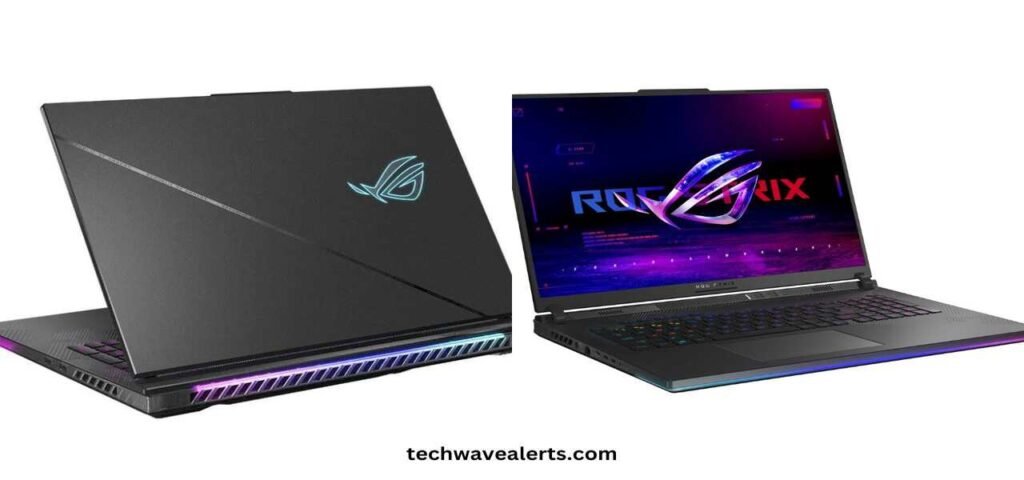
Next, let’s talk about the design. The 18-inch model has a refresh with a new motherboard and much better cooling, with an 82% larger cooling area, and RGB lighting everywhere. The tiny vents around the WASD keys are an interesting addition that helps keep your fingers cool.
The Bigger 18-Inch Screen
As the name suggests, the bigger screen gives us about 12% more screen space. Asus shrunk the bottom bezel to make the screen fit without increasing the footprint too much, although the 18-inch model is thicker and heavier.
MUX Switch and Connectivity Changes
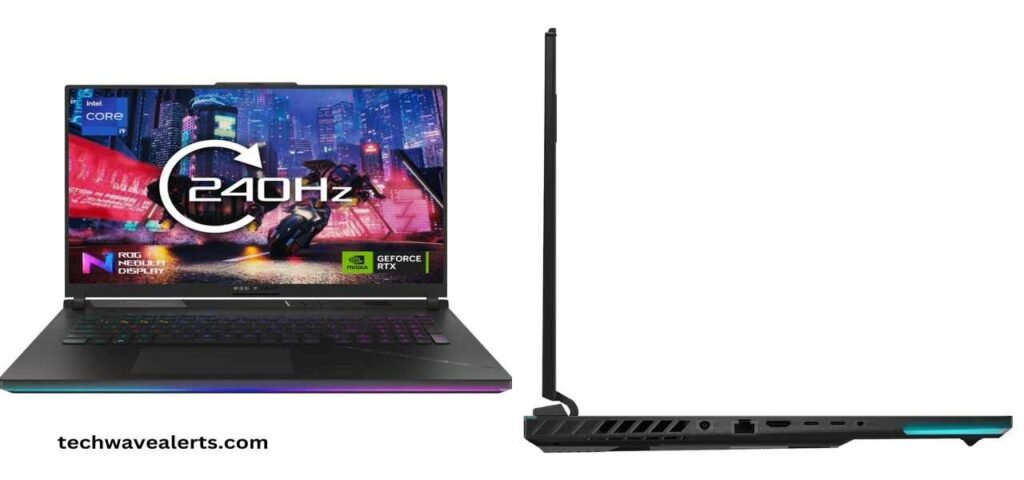
The MUX switch returns, now a dynamic MUX switch, meaning you can switch between integrated and dedicated GPUs without restarting the system. They’ve also moved the I/O ports from the rear to the sides, which I’m not sure is an upgrade. Additionally, there’s a clear plastic covering the sides, which looks cheap to me, though the RGB light bar along the edges is nice.
The Return of the Webcam
And look, we finally get a webcam! It’s a basic 720p camera, with no Windows Hello support, but it’s in a housing that makes it easier to open the laptop one-handed.
The New Display: Quad HD+ Nebula HDR
Let’s talk about the screen. It’s a new Quad HD+ 16:10 240Hz ROG Nebula HDR display, now brighter at 500 nits, more color accurate, and supports Dolby Vision HDR. Asus claims 100% of the P3 color gamut, although I measured slightly less. Still, the above-average color accuracy means you can use this laptop for more creative tasks.
Mini-LED Display: Failed Chance
However, the downside is that the 18-inch version will not have the mini-LED display that the 16-inch model has. The mini-LED screen brightens up to 1200 nits for even higher contrast. It is a little disconcerting not to have this option for the 18-inch considering its high price.
Keyboard, Trackpad, and Overall User Experience
The keyboard remains fantastic, now with slightly larger arrow keys. The trackpad is wider and taller, improving ease of use. With the slim screen bezels, the machine looks up to date.
Noise from the Fan as well as Efficiency of Cooling
Playing Forza Horizon 5, you would hear the fan, which is rather loud at 42 decibels but not when you are wearing a pair of headphones. The larger chassis of the 18 is better able to cool with up to 82% increased cooling area, three fans, and the use of liquid metal on both the CPU and GPU to keep throttling down.
Performance Benchmarks and Game Tests
So how fast is this thing? The new Strix Scar 18 achieved scores in Geekbench that were 11.4% faster for single cores and 31% faster for multi-cores and in Cinebench, single cores were 17% better and multi-cores were 60% better. The GPU, 4090, was 42% faster than the test in Geekbench and 54% faster in CUDA.
Gaming Efficience: Cyberpunk, Forza Horizon 5, and More
Cyberpunk 2077 was 25% and 43% faster on max and ray-traced settings respectively relative to an RTX 4090. The Strix Scar 18 range performs at least 25% to 40% better than the older little 17 in F1 2022. Flight Simulator, Modern Warfare 2, and Forza Horizon 5 all showed similar significant boosts.
Performance Summary: Ray Tracing and DLSS
The takeaway is that without ray tracing, we see around a 25-35% performance boost compared to last year’s 3080 Ti. With ray tracing and DLSS, especially with frame generation, you can see performance gains of up to 45% in some games.
Concluding Remarks: Is It Worth It?
In short, for £4,000, you could potentially own a ROG Strix Scar 18 – and that’s a significant investment. Prices will likely drop over time, as we saw with the Strix Scar 17. Still, this is a solid generational performance boost, especially for games with DLSS and frame generation, but last year’s 30-series models are still very capable at a lower price.
Sound Quality and Battery Life
Before I let you go, sound quality is fantastic with really good speakers. The battery life is also decent, with 4-5 hours with light use on the integrated GPU, but you’ll need to be plugged in for gaming. The 330-watt brick is smaller than most rivals and doesn’t add too much bulk. However, the 90Wh battery is a bit on the smaller side compared to some competitors.
Conclusion
In a nutshell, the ROG Strix Scar 18 is the fastest laptop I’ve ever tested but you should really consider some of the 30-series laptops if you’re not so much after top-level gaming performance. Follow for more updates on Tech Education.