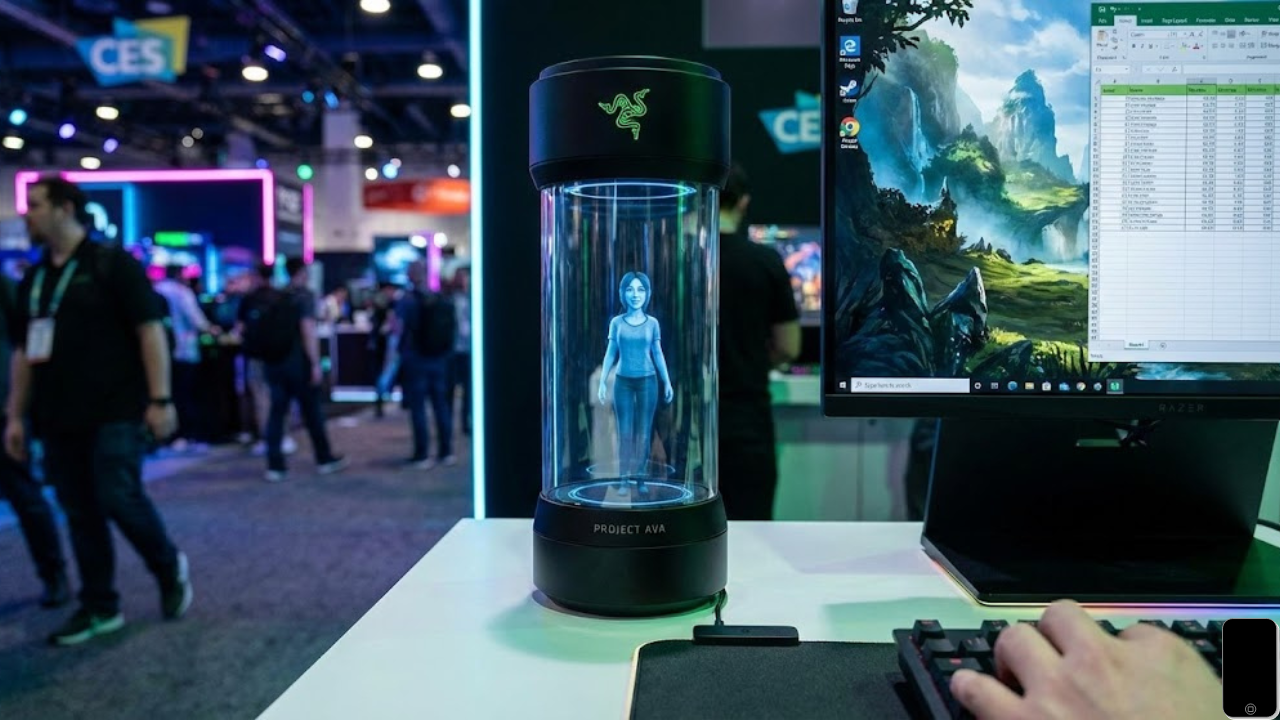
I just walked out of the Razer booth at CES 2026 and my head is still spinning. For years I have struggled to keep my desk organized and my mind focused while I work or play games. I usually have a million tabs open and a phone that never stops buzzing. I finally found something that feels like it came straight out of a movie. It is called Project Ava and it is a small holographic assistant that sits right on your desk.
I spent the morning testing it out to see if it could actually solve my problem of feeling overwhelmed. I want to share my experience with you because this is not just another smart speaker. It is a 3D companion that actually sees what you are doing and helps you in real time.
Why I Needed a Change
My typical day involves jumping between writing reports and trying to relax with a few rounds of games. I often lose track of time or forget to eat lunch because I am so deep into my screen. I needed a way to stay on track without constantly checking my phone. When I saw the glowing tube of Project Ava I knew I had to try it.
My Experience Setting It Up
Setting up this little hologram was much easier than I expected. I was worried it would require a lot of technical knowledge but it was very straightforward.
- I Connected the Cable The device uses a single USB C cable to plug directly into my Windows computer. This is important because it needs the power from your PC to run the high speed holographic display.
- I Picked My Companion Once it powered on a small 3D character appeared inside the glass. There are a few different personalities to choose from. I went with Kira because she seemed friendly and helpful. You can also pick Zane if you want someone more focused on gaming strategy.
- I Enabled PC Vision This is the part that blew my mind. I gave the device permission to see my screen. It uses a camera and AI to understand what you are looking at. If I am looking at a confusing spreadsheet Kira can summarize the data for me. If I am playing a game she can give me tips on how to beat a difficult boss.
How It Solved My Desk Problems
The biggest win for me was the personal organization. Instead of a loud alarm on my phone Kira would simply wave her hand and remind me that I have a meeting in five minutes. It felt much less stressful than a buzzing phone.
I also used her for brainstorming. I could talk to the hologram just like I was talking to a friend. Since it uses the Grok AI engine the conversation felt very natural and quick. It helped me outline a project in half the time it usually takes me.
What You Should Know Before Trying It
If you are in the USA and want to try this out you should know it is currently in the testing phase. Razer is taking reservations now on their website for a launch later this year. It requires a modern Windows computer to work best because of the way the vision mode processes information.
I found that it works best when you place it right next to your monitor. The microphones are very good at picking up your voice even if you are wearing headphones.
Final Thoughts on My New Desk Friend
I went into this thinking a hologram was just a gimmick. I was wrong. Having a physical presence on my desk that can actually see my work and offer help made me feel much more productive. It turned my lonely desk into a workspace that feels alive.