
I’m here to share my personal experience with How Accurate Is Find My iPhone and give you a real-world look at how accurate “Find My iPhone” actually is.
Finding a misplaced iPhone is one of the most stressful experiences I’ve had. My heart always drops a little when I realize my phone isn’t in my pocket or bag. So, I’ve come to rely heavily on Apple’s “Find My iPhone” feature. After using it for years, I’ve learned exactly what it can and can’t do. I’ve tracked my own phone, helped friends find theirs, and even used it to locate my AirPods.
My Experience with “Find My” Accuracy
The short answer is this: under normal circumstances, “Find My” is incredibly accurate. I’ve seen it pinpoint my iPhone to within just a few feet. When my phone is connected to Wi-Fi or has a strong cellular signal, the location is almost perfect. It’s enough to tell me if my phone is on the kitchen counter or if it slipped between the couch cushions. I’ve even seen it correctly place a friend’s phone on the second floor of a building, which was pretty amazing.
But I’ve also found that its accuracy can change based on a few key factors. It’s not a one-size-fits-all solution.
What Impacts “Find My” Accuracy
- Signal Strength: This is the most important part. When my phone is connected to Wi-Fi, it uses Wi-Fi signals to get a super precise location. When it’s on cellular data, it uses GPS which is also very accurate. But if my phone has no signal, or if it’s in a basement or a place with thick walls, the location can be off. I’ve seen it show a location that was a block away from the actual spot because the signal was weak.
- Battery Life: I learned this the hard way. “Find My” works best when the phone has enough battery to send out a location signal. If the battery dies, “Find My” will show you the last known location. It’s still helpful, but it’s not a live update. So if your phone dies on the move, the location might be old.
- Location Services: For “Find My” to work, Location Services must be turned on. This seems obvious but it’s an easy thing to overlook. I always double-check that this setting is on for all my devices, just in case.
- The “Find My” Network: Even if my phone is offline and has no Wi-Fi or cellular signal, it can still be found. It sends out a secure Bluetooth signal that other nearby Apple devices can anonymously and securely pick up. Those other devices then relay the location back to me. I’ve used this to find my AirPods which were buried under a pile of clothes and couldn’t get a Wi-Fi signal. It’s an incredible feature that makes “Find My” so much more reliable.
How to Find Your iPhone Step by Step
If you’ve lost your iPhone, here is the exact process I follow. This works for me every time.
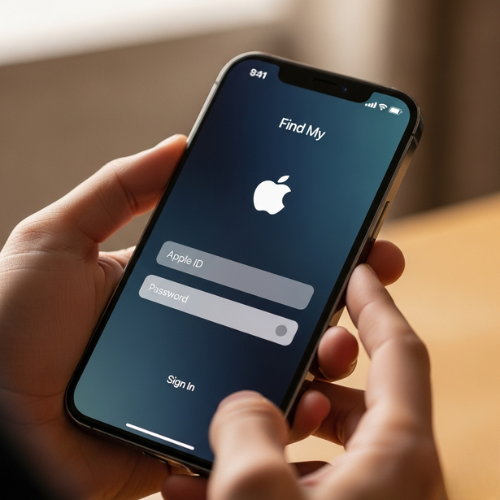
Log In: On any computer or another Apple device, go to iCloud.com/find. You can also use the “Find My” app on a family member’s or a friend’s iPhone. You’ll need to log in with your Apple ID.
Here is the screenshot of this step:
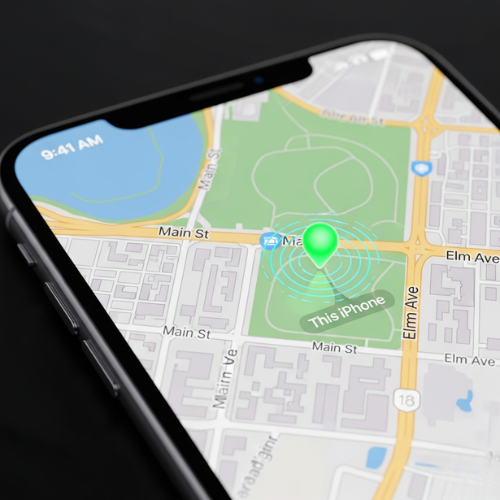
Locate Your Device: Once you’re in, you will see a map with a dot showing your iPhone’s location. A green dot means it’s online and a gray dot means it’s offline. If it’s offline, the location shown is the last place it was seen.
Here is the screenshot of this step:
Use the Features: The app gives you three great options to help you.
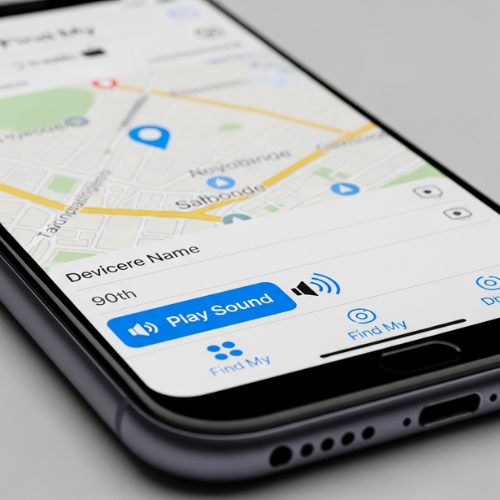
Play Sound: If you think your phone is nearby, like in another room, tap “Play Sound”. It will make your phone play a loud sound even if it’s on silent mode. I’ve used this so many times to find my phone at home.
Here is the screenshot of this step:
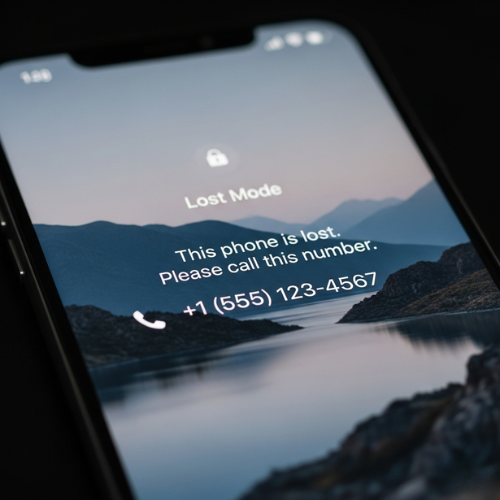
Lost Mode: If you know your phone is lost, use “Lost Mode”. This remotely locks your device with a passcode and can display a custom message on the screen with a contact number for whoever finds it. It’s a lifesaver.
Here is the screenshot of this step:
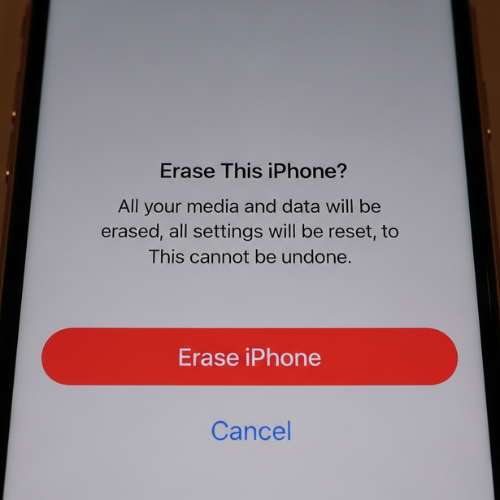
Erase iPhone: This is a last resort. If you believe your phone is gone for good and want to protect your personal information, you can remotely erase it. Just remember, this also erases your ability to track it.
Here is the screenshot of this step:
How Accurate Is Find My iPhone
In my experience, “Find My iPhone” is a powerful tool. It’s not foolproof, but understanding how it works and what affects its accuracy can make all the difference in a panic. It has saved me from losing my phone more than once, and for that, I am truly grateful.
Related Reads: Why My iPhone Won’t Charge Past 80%


